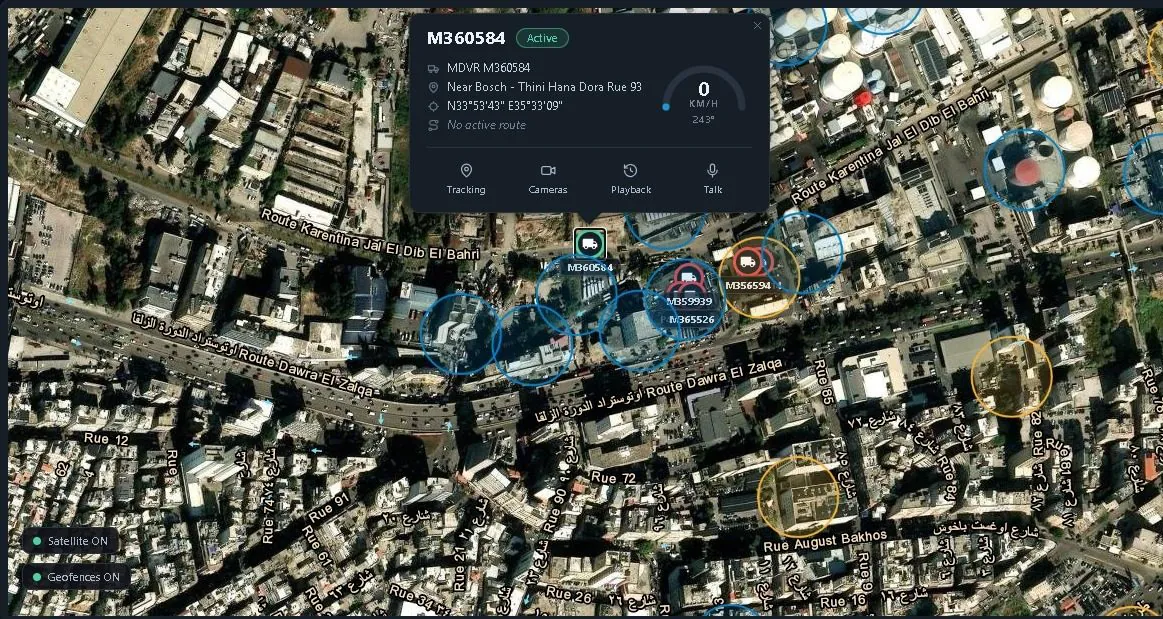
Every truck, live.
Every truck on one map, across Lebanon and the region, with geofences that log each arrival on their own.
Product
GSS Fleet Management System Fleet. Video. AI. One operational platform. Explore the platformFleet. Video. AI. One operational platform.
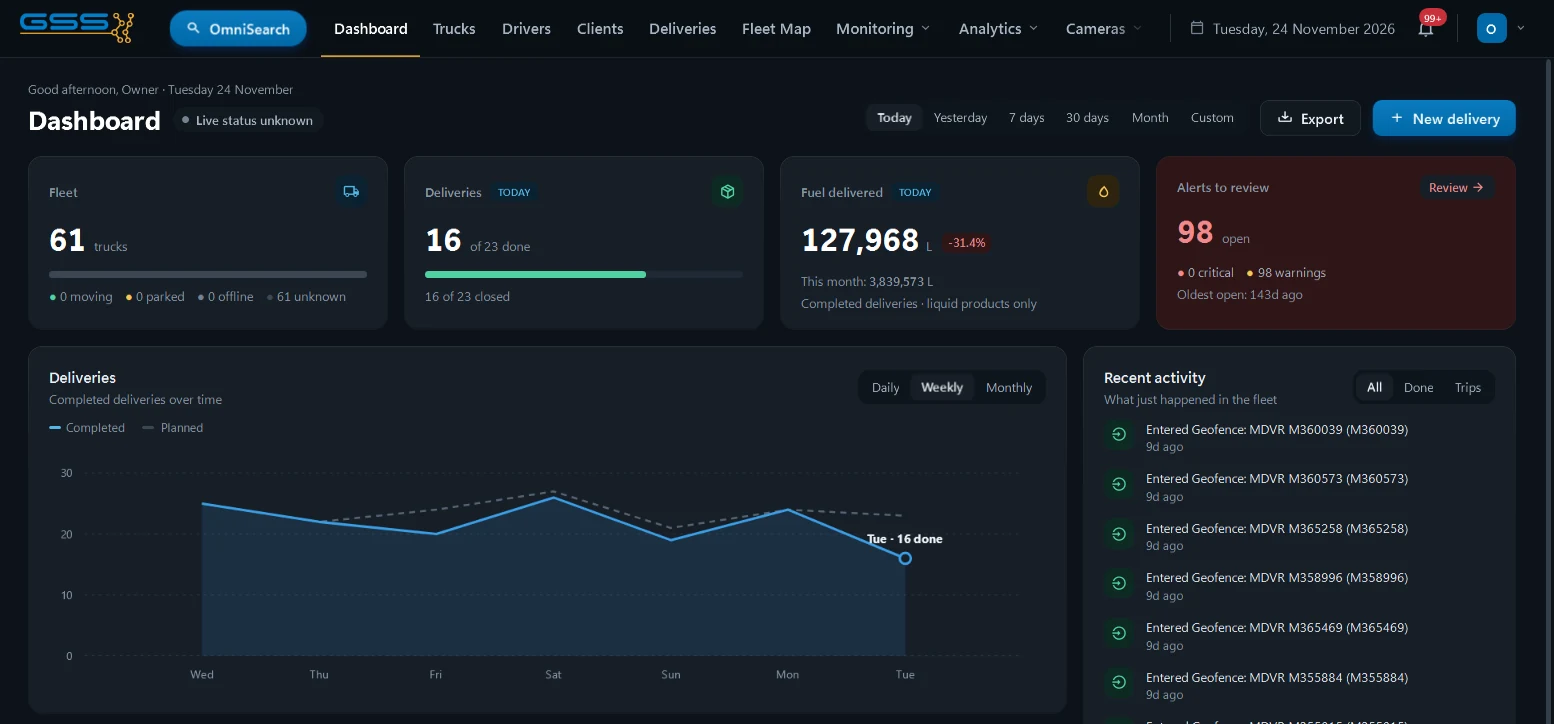
The whole fleet's day on one screen, and reports from a question asked in plain English. Built by GSS, it works with the GPS, vehicle cameras (MDVR) and plate readers your fleet already has.
Overview
Most fleets run four systems that do not speak to each other. This one puts trucks, drivers, deliveries, GPS, cameras and fuel together, and GSS adapts it to your rules rather than asking you to change them.
| How it usually works | With the GSS system |
|---|---|
| GPS lives in one portal, video in another, deliveries in a spreadsheet | Tracking, video, deliveries and fuel in one screen, tied to the same vehicle and day |
| An incident means pulling a recorder out of a truck to find the clip | An event opens with its own footage already attached |
| Fuel is settled on what the driver claims, not on distance actually driven | Fuel settled against kilometres driven, with camera evidence at the valve |
| A report takes someone half a day and is out of date by the time it lands | Reports run themselves and arrive on a schedule you set |
| Nobody can answer a simple question about last Tuesday without digging | Ask the system a question in plain language and get the answer from your records |
Every truck on one map, across Lebanon and the region, with geofences that log each arrival on their own.
AI assigns every order to the right truck by area, load and driver hours, then sends the routes to the drivers' phones.
GPS, camera clips, deliveries and fuel for each truck sit on one timeline. Replay any day minute by minute, with every event's footage already attached.
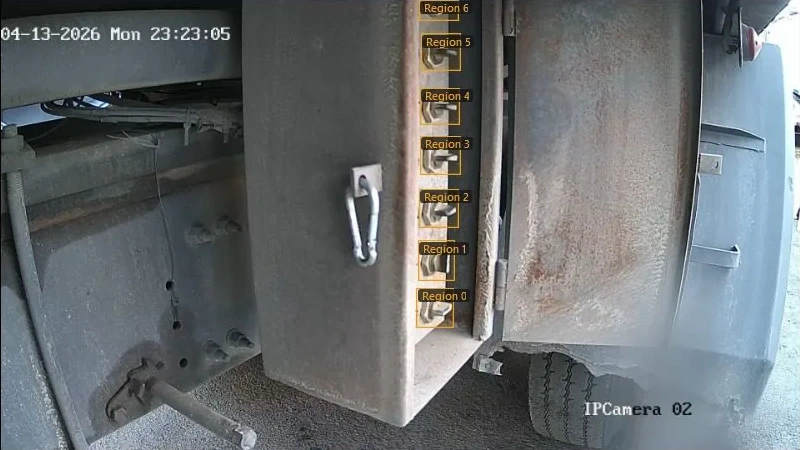
AI reads each tanker's valve from its camera and keeps photo proof. Fuel is settled by kilometres driven, not by claims.
Type a question in plain English and OmniSearch builds the report from your own data, on your own server.
Video tour · 2:32
A tour of the working system in under three minutes: AI dispatch and the driver app, the live map and camera wall, AI alerts from the trucks, reports and the KPI dashboard, plain-English questions answered on your own server, and custom AI for fuel tanks and valves.
Modules
Tracking, video, deliveries and fuel tied to the same vehicle and the same day, with reports that run themselves and rules that are yours.
When you ask the system a question that involves numbers, the answer is read from your database, not written by a language model.
The AI decides what to look up and how to present it. The figures come from your records, which is the only way a fleet report is worth signing.
Customisation
You should not have to restructure your business around a piece of software. Tell us how your operation works, what systems you already use and what you wish they could do. GSS builds the system, so these are settings and code we control, not feature requests that go into someone else's queue.
Integration
Replacing a working fleet of trackers and recorders is the fastest way to kill a project. Where your existing equipment exposes a way in, GSS connects to it. Where it does not, GSS designs and supplies compatible hardware instead, so the rollout can start on the vehicles that are ready.
What you already run
The layer GSS builds
 GSS Fleet Management System
One vehicle record, one timeline, one set of rules
What your team gets
Valve AI · in production
On fuel tankers, the system's camera AI watches the valve cabinet on every truck and reads each valve switch from the truck's own camera. Every reading keeps the picture that produced it.
Questions
Anything else, ask us directly. We reply within 48 hours.
Ask a questionWhere your existing platform exposes an API, an SDK or a documented feed, GSS integrates with it rather than replacing it. Where a platform is closed, we say so at the survey stage and propose compatible hardware instead.
Yes, on the same terms. MDVR and vehicle cameras are integrated where the recorder allows it, so footage sits beside the tracking rather than in a separate portal.
Yes. GSS builds and supports the platform, so dashboards, reports, alerts, operational rules, vehicle categories, permissions and KPIs are set to your operation rather than requested from a vendor.
The AI decides what to look up and how to present it, but the figures are read from your database records. They are not generated by a language model, which is the only way a fleet report is worth signing.
The system runs on your own server, with your own cameras and your own data. Each user sees only the pages and trucks you allow, and every add, edit, delete and import is logged with the person's name and the time.
Each driver has a small app on his own phone, opened with a PIN. It shows only his own truck and the day's stops in driving order, and he confirms each delivery from it. That confirmation is one of the checks a delivery must pass.
GSS serves customers and projects across Lebanon and the Middle East.
Product guide
Every screen, explained: the dashboard, AI dispatch, deliveries, the live map and day replay, alerts, the valve AI, fuel control, reports, permissions and the driver's app.
Prefer to see it live? A demo takes about thirty minutes, shown against your kind of fleet. Request a demo
Contact
Tell us about your site, your fleet or your idea. We reply within 48 hours.